GoatCounter를 이용한 방문자수 조회 설정하기
GoatCounter를 이용한 방문자수 조회 설정하기
✨블로그 게시글을 몇 명이 조회했는지 한 눈에 확인할 수 있도록 기능을 적용해보자✨
GoatCounter 가입하기
1. 아래 사이트 접속

2. Sign up 클릭
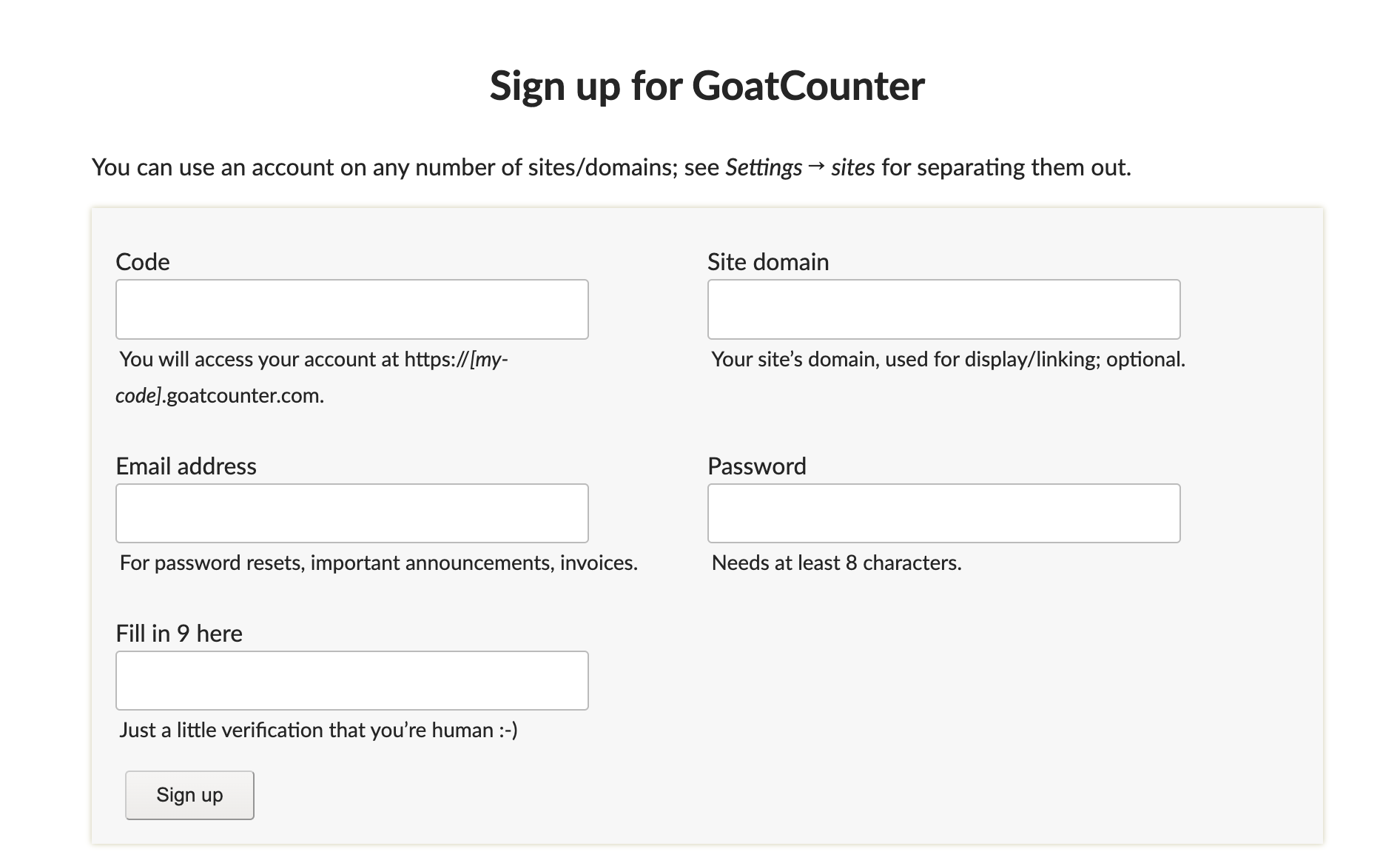
3. 각자에 맞게 빈 칸을 채워준다
4. 이메일 인증을 해준다
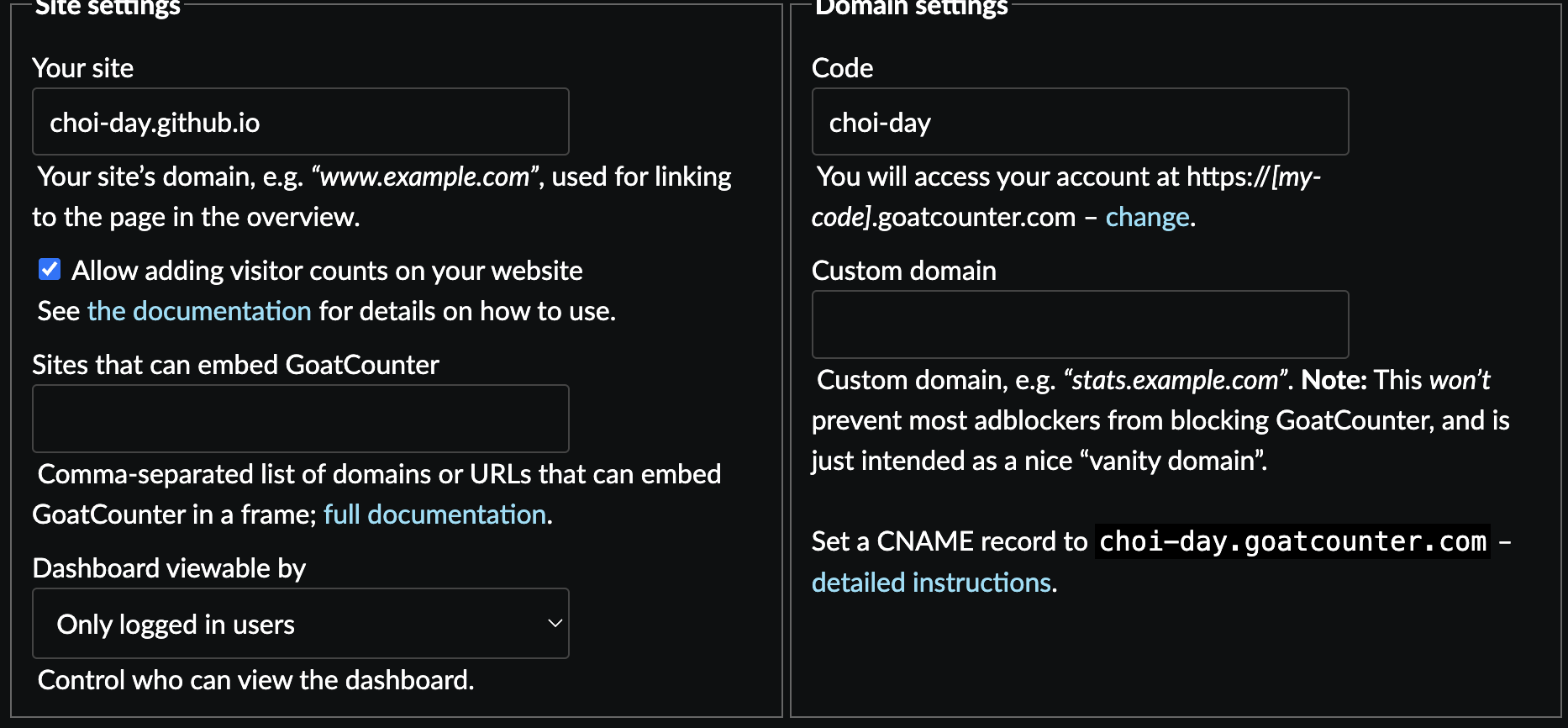
4. site 주소, 가입시 정한 Code입력 후 Setting에 들어가서 Allow adding visitor counts on your website에 체크, 맨 왼쪽 하단에 Save를 눌러준다
내 블로그에 적용하기
1. 자신의 블로그의 _config.yml 접속
1
2
3
4
5
6
7
8
9
10
11
12
13
14
15
analytics:
  google:
    id: # fill in your Google Analytics ID
  goatcounter:
    id: choi-day
  umami:
    id: # fill in your Umami ID
    domain: # fill in your Umami domain
  matomo:
    id: # fill in your Matomo ID
    domain: # fill in your Matomo domain
  cloudflare:
    id: # fill in your Cloudflare Web Analytics token
  fathom:
    id: # fill in your Fathom Site ID
2. goatcounter에 가입할 때 썼던 자신의 id입력
1
2
3
# Page views settings
pageviews:
  provider: goatcounter
3. pageviews 의 provider에 goatcounter입력
4. 변경사항을 Push해준다.
제목의 오른쪽 하단에 views가 생긴 것을 확인할 수 있다. 만세~

This post is licensed under CC BY 4.0 by the author.